
Chaty - Chat & Make Friends
Chaty AppSocial
3.91.55K Reviews
- Version
- 1.3.75
- Installs
- 500.00K
- Age Rating
- Mature 17+
Screenshots

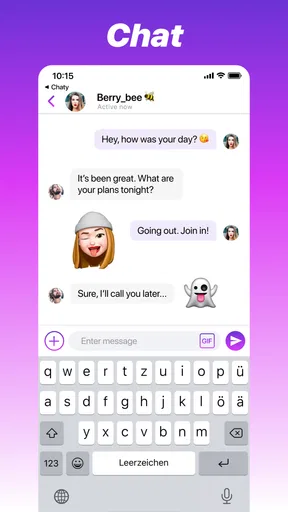

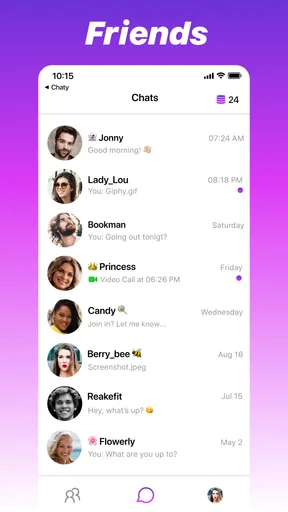


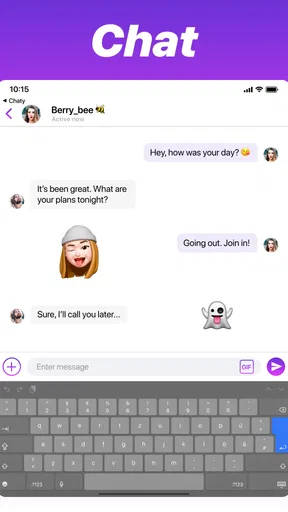

Our Review of Chaty - Chat & Make Friends
 Analysis by Appyee
I approached Chaty as a social messaging app rather than another general-purpose network. Its main appeal is straightforward: it gives people a place for private chats and meeting new contacts, without asking the user to build a public profile around constant posting. That makes it interesting for someone who wants conversation first, especially when a household shares devices or when different people need clearly separated communication habits.
My experience with it is best described as focused but dependent on good boundaries. Chaty can be useful for casual conversations, making connections and keeping social exchanges away from a public feed. At the same time, it carries a Mature 17+ content rating, so I would not treat it as a casual family app for younger users. The important question is not simply whether it is free to install, but whether the person using it understands private-chat etiquette, identity risks and the difference between a friendly conversation and a trustworthy relationship.
How Chaty fits into everyday shared-device use
A realistic example would be a household with one tablet or a spare phone used by several adults at different times. One person might use it to keep up with new acquaintances, another might use it for private conversations, and a third might only open it occasionally. In that situation, the app’s private-chat focus can feel less distracting than a social platform dominated by public timelines, reactions and endless recommendations.
However, a shared device changes the experience. Chaty is not something I would leave open on a communal screen. Private messages can contain personal details, and even a harmless notification preview may reveal more than the account owner intended. I would close the app after each session, avoid saving login details where other people can reach them, and keep the device protected with its normal lock screen. Those are simple habits, but they matter more here than any visual polish.
There is also a social boundary that is easy to overlook. A shared device does not mean a shared account. Mixing several people’s conversations under one profile makes it difficult to know who is speaking, who is responsible for a message and which contacts belong to whom. For household use, I would give each regular user a separate account and treat the app as personal communication, not as a communal inbox.
This is one of the less obvious trade-offs of a private-chat app. The format feels more personal than a public social network, but that privacy can make mistakes harder to notice. A public post may receive visible context or correction; a private exchange depends much more on the user’s judgement. I found that Chaty works best when the person using it is comfortable slowing down before replying, sharing information or moving a conversation elsewhere.
Starting with the right expectations
Chaty comes from Chaty App and is available as a free social app. That makes trying it easy, but “free” should not be confused with completely cost-free use in every situation. The app includes in-app purchases ranging from $3.99 to $359.99 per item, so I would check the purchase flow carefully before allowing anyone else to use the device, particularly if payment details are already stored on it.
My practical setup advice is to install it for one intended user first, explore the basic chat experience and decide how the account will be used before inviting other people into the routine. Do not start by handing the device around and assuming everyone will understand the same privacy expectations. A short conversation about account ownership, notifications and purchases prevents more trouble than trying to repair a confused setup later.
The app supports devices running Android 8.0 or later, which keeps it accessible on many older phones and tablets. That is helpful for a spare household device, although older hardware can still affect how comfortable messaging feels. If the device is slow, has limited storage or is frequently used for other tasks, the issue may be less about Chaty itself and more about the overall shared-device environment.
The current version is 1.3.75. I would keep the installation updated through the normal app store process, especially when the app is used for personal conversations. Updates are not a substitute for careful behaviour, but an outdated communication app is rarely a sensible choice when the device is shared between people with different levels of technical confidence.
Keeping household coordination separate from social discovery
Chaty can support coordination, but I would not make it the only place where a household organizes important plans. If two adults use it to arrange a pickup, confirm a change of schedule or share a reminder, the private-chat format may be convenient. Yet urgent household information should still have a backup channel that everyone reliably checks. A message is only useful if the recipient sees it in time.
I found a simple division helpful: use Chaty for conversations that are social or informal, and use an established household method for deadlines, appointments and safety-related details. That prevents a casual chat from becoming an accidental record-keeping system. It also avoids the common problem of assuming that a person is available just because they have an account.
Another useful habit is to keep conversation topics clear. If a chat begins as a discussion with a new contact and later turns into household planning, I would pause before sharing addresses, travel details or information about other people. The fact that a conversation is private does not automatically make the recipient trustworthy. Private means the exchange is not public; it does not guarantee the relationship.
For friends or relatives who already know one another, Chaty may feel more natural as a lightweight way to stay in touch. For strangers, I would keep early conversations general. I would avoid sending identity documents, financial details, passwords, precise home information or private images. That advice is especially important on a shared device, where downloaded or cached material might be seen by someone who was never part of the conversation.
Account boundaries matter more than convenience
Chaty’s private-chat design makes account separation worth planning from the beginning. I would not let a child, teenager or guest use an adult’s existing account simply because it is already signed in. That blurs age context and makes every conversation harder to interpret. It also means the account holder may be held responsible for activity they did not initiate.
On a household tablet, the safest routine is to sign out when changing users and to avoid leaving the app in the recent-apps view. If the device offers separate user profiles, I would use them. If it does not, a dedicated account and a consistent sign-out habit are the next best option. These steps are not special Chaty features; they are practical boundaries around using any private messaging service on shared hardware.
I would also make purchases a specific part of the setup conversation. Because the app is free to download but offers paid items, the person using it should know whether purchases are allowed and who approves them. This is a better approach than relying on everyone to recognize a purchase screen or understand that a small-looking button can lead to a charge.
For adults sharing a device, the concern may be less about spending and more about accidental exposure. Notification text can reveal names or fragments of conversations. I would review the device’s notification behaviour and choose a setting that fits the household, without assuming that the app itself will solve the privacy issue. If several people use the same lock screen, visible previews are a weak point.
Age context and trust should guide the decision
The Mature 17+ rating is the clearest reason I would keep Chaty away from younger children. I would not interpret it as a promise that every conversation is unsuitable, nor would I use the app as a substitute for parental judgement. It simply means the app belongs in an older-user context, and that context should be respected when deciding who can install it on a shared device.
For a teenager who meets the age requirement, the useful conversation is about behaviour rather than surveillance. I would discuss how to recognize pressure, how to end an uncomfortable chat and why a new online contact does not need immediate access to personal information. I would also make it clear that moving from Chaty to another service does not make a risky request safer.
Trust is built through consistency. A person who respects boundaries, accepts a delayed reply and does not demand secrecy is easier to deal with than someone who pushes for private details or insists on immediate responses. Chaty’s private-chat structure makes these signals important because there may be less public context around the interaction. I would encourage users to save enough context to explain a concern if a conversation becomes uncomfortable, while still avoiding unnecessary collection of other people’s private messages.
This is also where Chaty may not be the right choice. I would skip it for a young child, for someone who is uncomfortable judging unfamiliar contacts, or for a household that cannot keep accounts and notifications separate. I would also choose a more established communication tool when the main goal is reliable group coordination, work communication or a shared family schedule rather than meeting people and chatting privately.
What it does better than familiar alternatives
Compared with a public social network, Chaty’s private-chat emphasis can make conversation feel less performative. There is no need to turn every interaction into a post for an audience, and that may suit people who prefer direct exchanges. Compared with a traditional text-messaging app, its social purpose is more apparent: it is aimed at connecting with people beyond an existing contact list, not only at messaging people already known offline.
That distinction is also its main limitation. A standard messaging app is usually easier for a household because everyone already understands who the contacts are and why a conversation exists. A public network may offer more visible context around a person’s identity and interests, even though it brings its own privacy problems. Chaty sits between those models: more social than ordinary texting, but more private and less publicly contextualized than a feed-based network.
I would choose Chaty when the goal is to explore conversations without committing to a public posting routine. I would choose ordinary messaging when reliability and known contacts matter most. I would choose a group-planning tool when several people need shared tasks, reminders or an easily visible history of arrangements. The right option depends less on which app has the most features and more on whether its communication style matches the situation.
Its audience also affects the experience. A person looking for relaxed one-to-one conversation may appreciate the focus, while someone expecting a full social ecosystem, broad content discovery or detailed collaboration tools may find it limited. I would not install it expecting it to replace every other social or communication service. It is more useful as a specific channel with a defined purpose.
Everyday workflow tips that make it easier to live with
My first tip is to decide what information never belongs in an early chat. I would create a personal rule covering home address, financial information, passwords, identity documents and details about other household members. This sounds obvious, but writing the rule down or discussing it before using the app is more effective than relying on caution in the middle of an emotional conversation.
My second tip is to separate discovery from commitment. A new contact does not need to become a frequent contact immediately. I would keep the first exchanges short, look for respectful behaviour and avoid treating quick familiarity as proof of trust. This is a particularly useful workflow for Chaty because its social purpose may encourage conversations with people outside an existing circle.
My third tip is to use the app at a deliberate time rather than leaving it as a constant background presence on a shared device. Checking messages during a planned break reduces the chance of someone else opening a private conversation by accident and makes it easier to notice whether the app is adding value. If the user feels pressured to respond instantly, that is a sign to create more distance, not to give more information.
For household coordination, I would finish important arrangements with a clear confirmation and, when appropriate, repeat the essential detail through the household’s normal channel. For example, a casual Chaty conversation might establish that someone can collect a package, but the final time and location should be written somewhere the responsible person will definitely check. This keeps the app useful without making it responsible for every practical detail.
Who should install it, and who should pass?
Chaty is a reasonable fit for an adult who wants a free social app centered on private chats and is willing to manage contact boundaries carefully. It can also suit an older user who prefers direct conversation over public posting. The app has reached over 500 thousand installs and holds a 3.9 average from around 6 thousand ratings, so it has a meaningful user base, though I would still judge it by my own needs rather than treating popularity as a guarantee of fit.
I would pass if the intended user is below the 17+ age context, if the device is used by people who cannot keep accounts separate, or if the main requirement is dependable household administration. I would also be cautious with anyone who tends to overshare online or feels uncomfortable ending conversations. A private-chat app rewards confidence and restraint; it is not a replacement for either.
The purchase range is another reason to be selective about shared use. If the app is installed for one adult on a personal phone, the payment question is easier to manage. On a family tablet with several users, I would establish approval rules first. The free entry point is convenient, but the presence of paid items means the household should not treat installation as a completely consequence-free experiment.
Overall, I see Chaty as a focused social option rather than a universal messaging solution. Its strongest quality is the directness of its private-chat approach, especially for people who do not want their social life built around public posts. Its weaker side is the responsibility that comes with less visible context: users must provide their own judgement, privacy habits and account discipline.
For my household verdict, I would recommend it only in a controlled setup: an eligible user, a separate account, sensible notification settings, clear purchase boundaries and a backup method for important coordination. Used that way, Chaty can be a comfortable place for casual conversations and new connections. Used casually on a shared device, or given to someone too young or too trusting, it becomes a poor fit. That balance is the real story of Chaty: worthwhile for the right adult user, but best approached with boundaries from the very first chat.
Verdict
Strengths of Chaty - Chat & Make Friends
- Simple interface makes it easy to start conversations quickly.
- Useful for meeting people beyond your existing social circle.
- Profile-based discovery helps you find users with shared interests.
- Chat features support casual conversations and new friendships.
- Available on mobile, making conversations convenient while traveling.
Limitations of Chaty - Chat & Make Friends
- Some profiles may be inactive or slow to respond.
- User quality and intentions can vary considerably.
- Privacy settings should be checked carefully before sharing details.
- The experience may depend heavily on having enough active users nearby.
- Unwanted messages or inappropriate behavior may require moderation tools.
Similar Picks in This Category
View All
Meta Platforms, Inc.4.6

Instagram4.0

Likee-Live, Chat & Party Games
Likeme Pte. Ltd.4.4

Facebook Lite
Meta Platforms, Inc.4.5

TikTok - Videos, Shop & LIVE
TikTok Pte. Ltd.4.0

Moj: Free Short Drama & Reels
ShareChat4.1
Frequently Asked Questions
What is Chaty - Chat & Make Friends, and how does it work?
Chaty - Chat & Make Friends is a social communication app designed for meeting and chatting with new people online. After creating a profile, users can browse available members, start conversations, and potentially build friendships based on shared interests. The experience generally depends on the number of active users in your area, the information you add to your profile, and how responsibly you communicate with others.
Is Chaty - Chat & Make Friends free to download and use?
Chaty can generally be downloaded at no initial cost, but some features may be limited or supported through in-app purchases, subscriptions, advertisements, or virtual items. Before using premium tools, carefully review the pricing, renewal terms, and payment conditions shown in the app store. Availability of specific features may also differ between Android and iOS versions or by region.
Is Chaty safe for meeting and talking to strangers?
Chaty may include standard tools for reporting, blocking, or managing unwanted interactions, but no social app can guarantee that every profile is genuine or trustworthy. Avoid sharing your home address, passwords, financial information, private documents, or sensitive photographs. Keep conversations inside the app at first, be cautious with links, and report suspicious, abusive, or manipulative behavior immediately.
Does Chaty require personal information or access to my device?
To create and operate an account, Chaty may request information such as a username, profile photo, age, location, or contact details, depending on the registration method. It may also ask for permissions related to notifications, photos, camera, microphone, or location. Review each permission before accepting it, and check the app’s current privacy policy to understand how collected information is used.
Can I delete my Chaty account and control unwanted messages?
Most social chat platforms provide account, privacy, blocking, and reporting controls, although the exact menu names and deletion process can change with updates. Look in the profile or settings section for options to hide personal details, restrict contact, block users, report violations, or delete the account. If deletion is not immediately visible, consult the app’s help or support section before uninstalling.
